The file is only too big if the inbox says so
Reduce PDF file size is a sending problem. The document was fine until a mail app or an upload form refused it. You do not need the smallest PDF in theory. You need a file that clears the limit and can still be read.
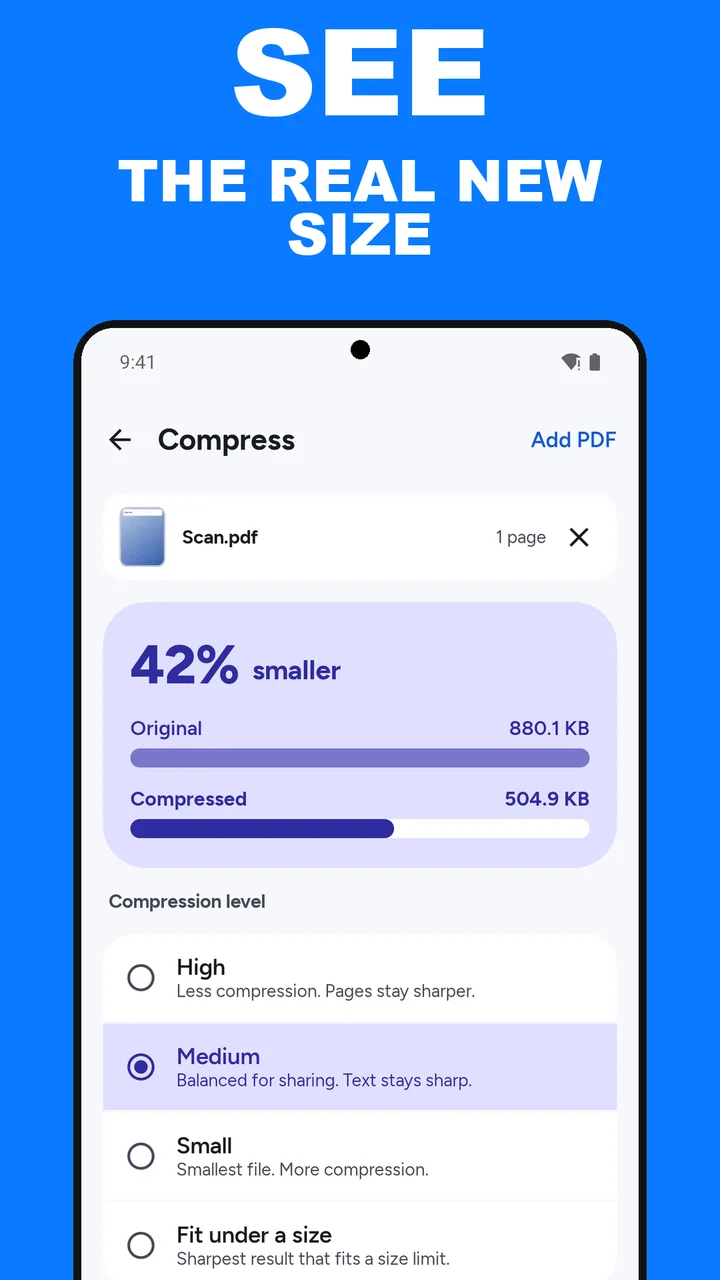
ViaPDF shows the size you are about to send. After you tap Compress, a card shows NN% smaller, with the Original and Compressed sizes. Pick another level, tap Compress again, and the numbers change. Export when it fits.
A practical order of attempts
- Compress at Medium and read the new size.
- If you are still over the limit, switch to Small.
- If Small is still too big, or the page looks too soft, extract the pages the recipient actually needs and compress that shorter file.
Text-only PDFs often shrink very little, because there is no large photo to recompress. Scans shrink more. The size card tells you which situation you are in, so you stop retrying a file that cannot get smaller. If the bounce message gives an exact number, choose Fit under a size instead and pick that limit; ViaPDF keeps the sharpest version that fits. See compress a PDF to 2, 4 or 5 MB. The level-by-level explanation is in compress a PDF on Android. The result is written as page images, so its text is not selectable. If the pages are colour scans and you do not need colour, you can also convert the PDF to grayscale. Every page becomes black and white.
Limits on the phone. ViaPDF does not process a file over 250 MB or a document over 200 pages. Compress warns you before a job over 50 pages.
How to shrink a PDF for email in ViaPDF
- Note the limitCheck the number in the bounce message. Many inboxes choke near 25 MB. Some portals are far smaller.
- Open CompressIn ViaPDF, tap Compress on the Tools tab and add the PDF that was rejected. You can add more than one PDF.
- Try Medium firstMedium is balanced for sharing, and text stays sharp. Tap Compress and read the Compressed size on the card, next to the Original size.
- Switch to Small if you mustSmall is the smallest file and compresses more. Use it when Medium is still over the limit and the recipient can accept softer pages. Tap Compress again. If the card says Already as small as it gets, this file will not go lower.
- Or send fewer pagesIf the whole file cannot shrink enough, run Split to pull out the pages they asked for and Save. Then use Keep going with this file to open Compress on that excerpt. Save or Share the result.
Watch it in 25 seconds
The same steps as a short video. It loads from YouTube only when you press play.
Do this job on your phoneFree to download. The first export is free. Then pay once. Google Play shows your local price. The file stays on the device until you share it.
Reduce PDF file size for email FAQ
Can ViaPDF hit an exact size, like under 1 MB?
It will not guess a target you type in. It shows the size each level actually produces after you tap Compress. Pick the level that lands under your limit, or remove pages and compress again.
Why does the card say “Already as small as it gets”?
Some PDFs, often ones that are mostly text, have little left to shrink. ViaPDF says so instead of handing you a file that is no smaller. Try sending fewer pages instead.
Does reducing the size change the original?
No. You export a new, smaller PDF, Compressed.pdf. Keep the original if you still need the sharper copy. The new file is written as page images, so its text is not selectable.
What if it is still too big?
Extract the required pages first, then compress that shorter file. A 4-page excerpt is often small enough when the 80-page original is not.