Two kinds of PDF, one copy button
The search copy text from PDF fails in the same way for two different files. A normal PDF already has a text layer, and you just need it on the clipboard. A scan is a photograph of paper, so there is nothing to select until something reads it.
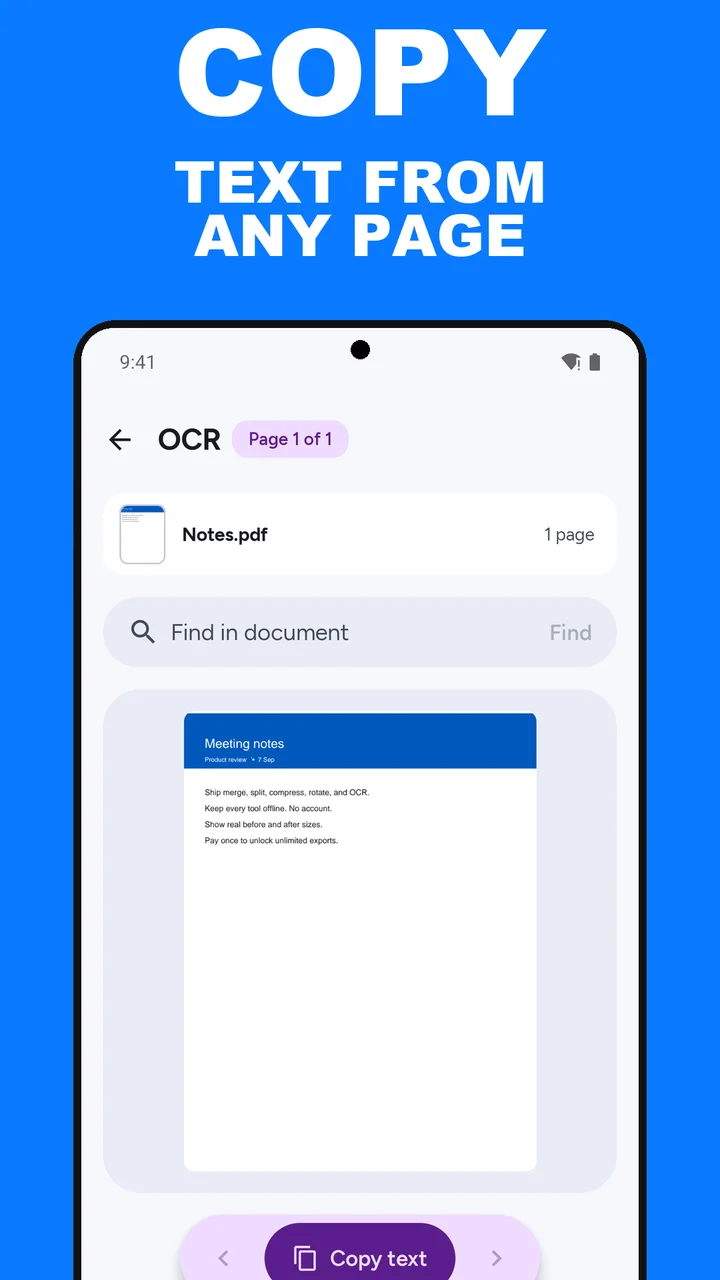
ViaPDF’s OCR tool handles both, on the phone. It reads the text layer if the PDF has one. Otherwise it recognizes the text on the page. Either way, Copy text puts the current page’s text on the Android clipboard, and copying is always free.
When to copy, and when to save a searchable PDF
- Copy text when you are pasting a paragraph into an email, a note, or a form.
- Find in document when you know a name or an amount and you do not know which page it is on.
- Save searchable PDF when you want those words to stay inside a PDF you can search later. That path is covered in OCR a scanned PDF.
This is copy and recognition, not a full editor. ViaPDF does not rewrite the layout, fill forms, or turn the file into a Word document. It gets the words out, and it can write them back into a searchable PDF.
On the device. The page is not uploaded to be read. Recognition stays on your phone, including when you have no signal.
How to copy PDF text in ViaPDF
- Open OCROn the Tools tab, tap OCR, or tap Open PDF first and then pick OCR.
- Choose the PDFPick the file from Files, or share it into ViaPDF from another app. OCR works on one PDF.
- Let ViaPDF read the pageIf the PDF has a text layer, ViaPDF reads it. If it is a scan, ViaPDF recognizes the text on the page. Check the words before you paste a number or a name.
- Copy or searchTap Copy text to put the current page’s text on the clipboard. Copying is always free. Use Find in document when you need a word that might be on another page.
- Optional: save a searchable PDFTap Save searchable PDF if you want the words inside a PDF for later search. That is an export, so it follows the same free-export, then pay-once rule. The result is Searchable.pdf.
Watch it in 27 seconds
The same steps as a short video. It loads from YouTube only when you press play.
Do this job on your phoneFree to download. The first export is free. Then pay once. Google Play shows your local price. The file stays on the device until you share it.
Copy text from a PDF FAQ
Why can’t I select the words in my PDF viewer?
Many scans are just a picture of a page. ViaPDF recognizes that picture on the device so you can copy the words.
Does Copy text use my free export?
No. Copy text is always free and is not an export. Only Save and Share count.
Does copy send the document anywhere?
No. Recognition runs on your phone. Copy puts text on your clipboard. The PDF is unchanged unless you choose Save searchable PDF.
Can I search every page?
Yes. Use Find in document to search for a word across the PDF.