Why portals set limits this small
Job application sites, visa and immigration forms, school admissions pages and government upload portals often set their own caps, such as 1 MB, 500 KB or 200 KB. The number usually comes from the server or the form builder, not from the document. A scan that went through as an email attachment can still be turned away at the upload step. The fix is a lighter file, not a different document.
Type the limit as a custom size
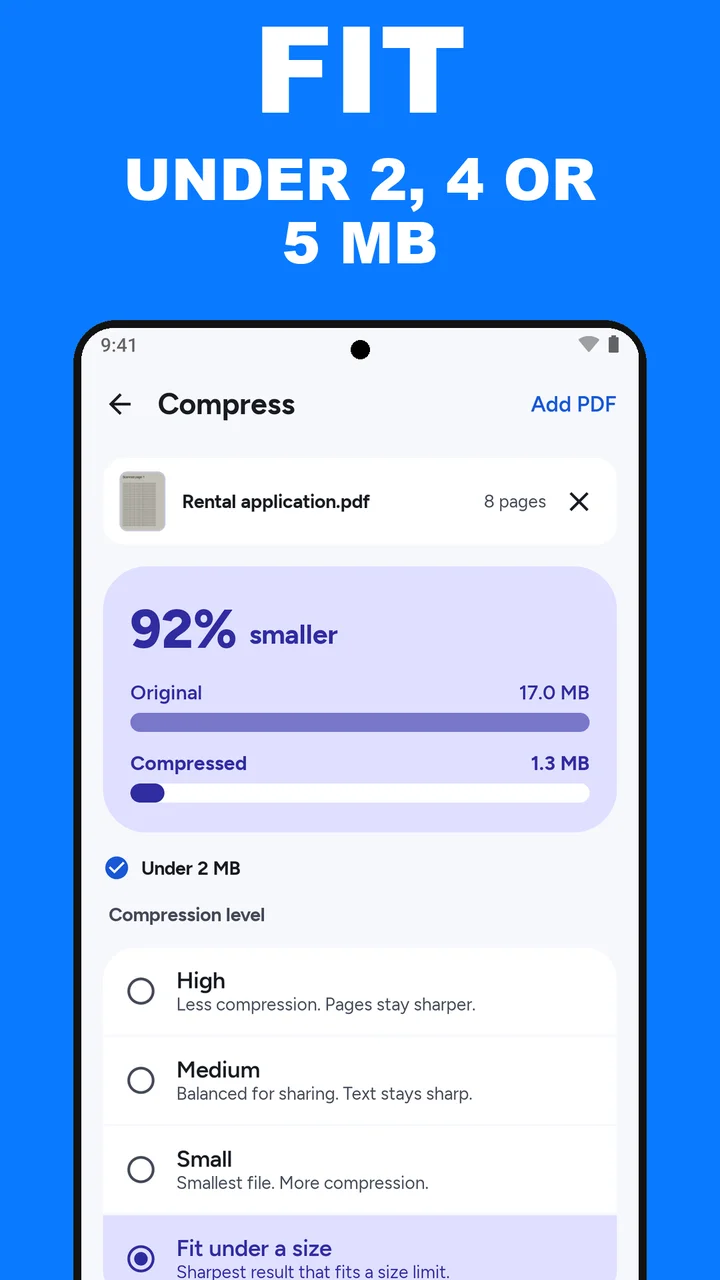
In Compress, choose Fit under a size, then tap Custom and type the limit in MB. Sizes from 0.1 to 100 MB work, so for a limit in kilobytes, divide by 1,000:
- 1 MB: type 1
- 500 KB: type 0.5
- 200 KB: type 0.2
ViaPDF counts 1 MB as 1,000,000 bytes. Some portals count it as 1,048,576 bytes. A file that fits ViaPDF’s 1 MB fits theirs too.
Tap Compress. ViaPDF tries its quality steps on your phone and keeps the sharpest one that comes in under the limit. Under the size card, a line says Under 1 MB when it fits, or names the smallest size the file can reach when it can’t.
When the file can’t get that small
- If the form only asks for some pages, extract those pages first, then fit that shorter file.
- If colour is not needed, run Grayscale on the file, then fit the Grayscale.pdf it creates. Grayscale does not promise a smaller file, so check the result again.
- If the portal accepts more than one file, split the PDF and fit each part.
What to expect from scanned and text PDFs
Scans shrink the most. A phone photo of a paper form is one large image per page, and Compress rewrites each page at a smaller size. A PDF that is mostly typed text, such as a letter or a report exported from a word processor, is often already small. If it is, the line under the card says it is already under your limit.
Be realistic about 200 KB. For a scan, 200 KB is a fair target only for a page or two. For 500 KB and 1 MB, a short scan or a text-heavy file can fit. For a long scan, the reliable lever is extracting the pages the form asks for, then fitting that shorter file.
Read the rule on the form. Some portals limit each file. Others limit all attachments together. ViaPDF fits each file under the limit on its own, so for a shared limit, divide it by the number of files.
For the common 2, 4 and 5 MB limits, see compress a PDF to 2 MB, 4 MB or 5 MB. If the file is headed for an inbox rather than a form, the shorter route is in reduce PDF file size for email.
How to compress a PDF to a size limit in ViaPDF
- Open CompressOn the Tools tab, tap Compress, or tap Open PDF first and then pick Compress. Processing stays on your phone.
- Add the PDFChoose the file. You can add more than one PDF.
- Choose Fit under a sizeIt is the fourth option, under High, Medium and Small.
- Type your limitTap Custom and type the size in MB: 1 for 1 MB, 0.5 for 500 KB, 0.2 for 200 KB.
- Tap CompressViaPDF keeps the sharpest result that fits. Read the line under the size card.
- If it can't fitThe line names the smallest size the file reaches. Extract the pages you need, or try Grayscale, and fit that file.
- Save or ShareThe result is Compressed.pdf. The first export is free.
Do this job on your phoneFree to download. The first export is free. Then pay once. Google Play shows your local price. The file stays on the device until you share it.
Compress a PDF to 1 MB or less FAQ
Can I type an exact target size?
Yes. Choose Fit under a size, tap Custom, and type a size from 0.1 to 100 MB, such as 0.5 for 500 KB. ViaPDF keeps the sharpest result under that size.
Can I get a file under 200 KB?
Sometimes, and usually for a short document. A page or two of a simple scan may get there. A long scan often will not, and ViaPDF tells you the smallest size it reaches. Extract the pages the form asks for first.
Is my file uploaded?
No. Compression runs on your phone. The file leaves the device only when you tap Save or Share.
Why is the compressed text not searchable?
Compress writes each page as an image, so the text in the new file cannot be selected. If the form needs searchable text, run OCR and tap Save searchable PDF, then fit that file.