Most phone PDF work is a few repeat jobs
A PDF toolkit app earns a download when it finishes the file you have open. The jobs that show up over and over are combining PDFs, pulling pages out, making a file small enough to send, fixing a sideways or untidy scan, and getting words or images off a page. A long catalogue does not help if the basics are clumsy, or if each tool uploads the document.
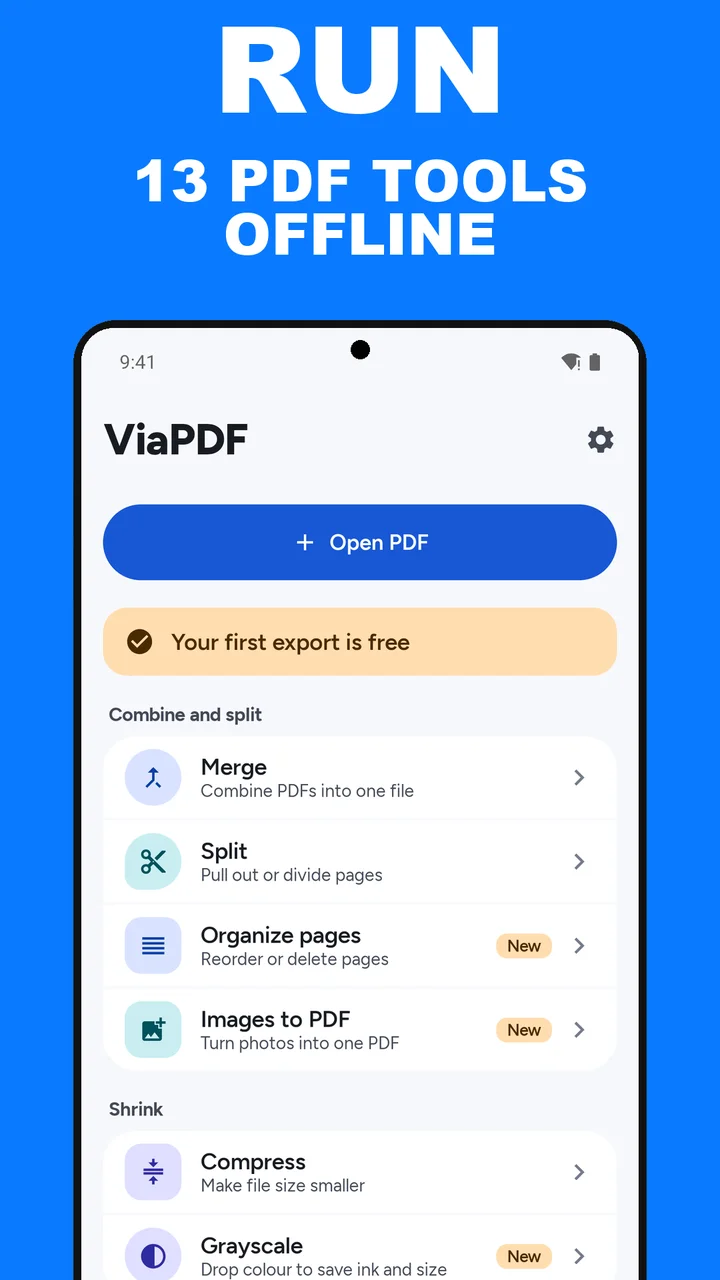
ViaPDF is thirteen tools in four groups, offline, on Android:
- Combine and split. Merge files, Split or extract pages into a new PDF, and Organize pages to reorder or delete them in one file.
- Shrink. Compress and reduce the size after you see the real number, or convert to grayscale.
- Fix pages. Rotate every page or one page, crop margins, and add page numbers.
- Text and export. Copy text or OCR a scan and save a searchable PDF, convert pages to JPG or PNG, add a Text stamp such as Draft or Confidential, and unlock a PDF whose password you know (Android 15 and later).
What this toolkit does not try to be
ViaPDF does not edit page content. It is not a form filler, a signature product, a camera scanner, a photo-to-PDF tool, or a converter that turns PDFs into office documents, and it cannot add a password to a PDF. If that is the job, this is the wrong app, and installing it will waste the download. If the job is one of the thirteen above, you can do it on the phone you have, with the first export free and a one-time unlock after that. Pricing is spelled out in PDF app with no subscription. How the files stay on the device is in offline PDF app.
Pay once when you need it. Preview every tool. The first export is free. Then unlock the full toolkit. No subscription.
How to pick the tool in ViaPDF
- Start from the job, not from a long menuTap Open PDF and then pick a tool, or pick a tool and then choose the file. If you are combining files, open Merge. If a form rejected the size, open Compress. If you need words from a scan, open OCR.
- Bring the file inChoose it from Files, or share it into ViaPDF.
- Check the result on screenPage order, selected pages, the real compressed size (NN% smaller, with Original and Compressed sizes), or the recognized text. Then Save or Share.
- Find it againThe Recents tab lists files you open and results you save. Search by file name or filter by tool. The list keeps the last 100.
Do this job on your phoneFree to download. The first export is free. Then pay once. Google Play shows your local price. The file stays on the device until you share it.
What a phone PDF toolkit should do FAQ
Is ViaPDF a full PDF editor?
No. It merges, splits, reorders, compresses, rotates, crops, numbers, stamps, and recognizes text on existing PDFs. It does not edit page content, fill forms, collect signatures, or convert a PDF into a Word file.
Does it scan paper with the camera?
No. You bring an existing PDF. If that PDF is already a scan, OCR can read the text and Rotate can turn the pages upright. If you have photos of the pages instead, Images to PDF turns them into one PDF.
Which phones does it run on?
Android 7.0 or later, from Google Play. Unlock, the tool that removes a password you know, needs Android 15.