What “private clipboard manager” should mean
It should mean: no account, no sync of clip bodies to a vendor, no ad network, and a capture story you could explain to a security-minded friend. A private clipboard manager that uses Accessibility to watch every field is asking for a god-permission in exchange for convenience.
Soloclip stores text in an on-device database. Android Auto Backup is off. Uninstalling removes local data. You can wipe from Settings. You can export JSON or CSV if you want a file you control.
Sensitive clips
Bank OTPs and password-shaped strings should not live in a history list. When a password manager marks a copy as sensitive, or Soloclip spots a one-time code, card number, IBAN or API key, the clip is masked, held in memory only, and gone in five minutes. Revealing or copying it asks you to confirm it is you. Settings has an Excluded apps list and a Wipe sensitive now button. Do not pin a password anyway.
Share and export are you leaving the device. The app does not upload. If you send a CSV to someone, that file is your choice.
Lock it down in Settings
Keep auto-clear OTP on. Add your banking or password app to Excluded apps. Set retention for unpinned clips (default 30 days). Enable the keyboard only as an input method — it is an insert panel, not a keylogger of Gboard.
- Install with no accountThere is nothing to sign up for. History is a local database.
- Read the capture disclosureOnly the keyboard panel, app focus, share or select-and-save, and the Save clip tile. No background reading.
- Let the sensitive guard workPasswords, one-time codes, card numbers, IBANs and API keys are masked, never saved to storage, and gone in five minutes. Do not pin secrets.
- Export or wipe on your termsJSON/CSV export is a file you hold. Wipe all deletes the local database. There is no server copy.
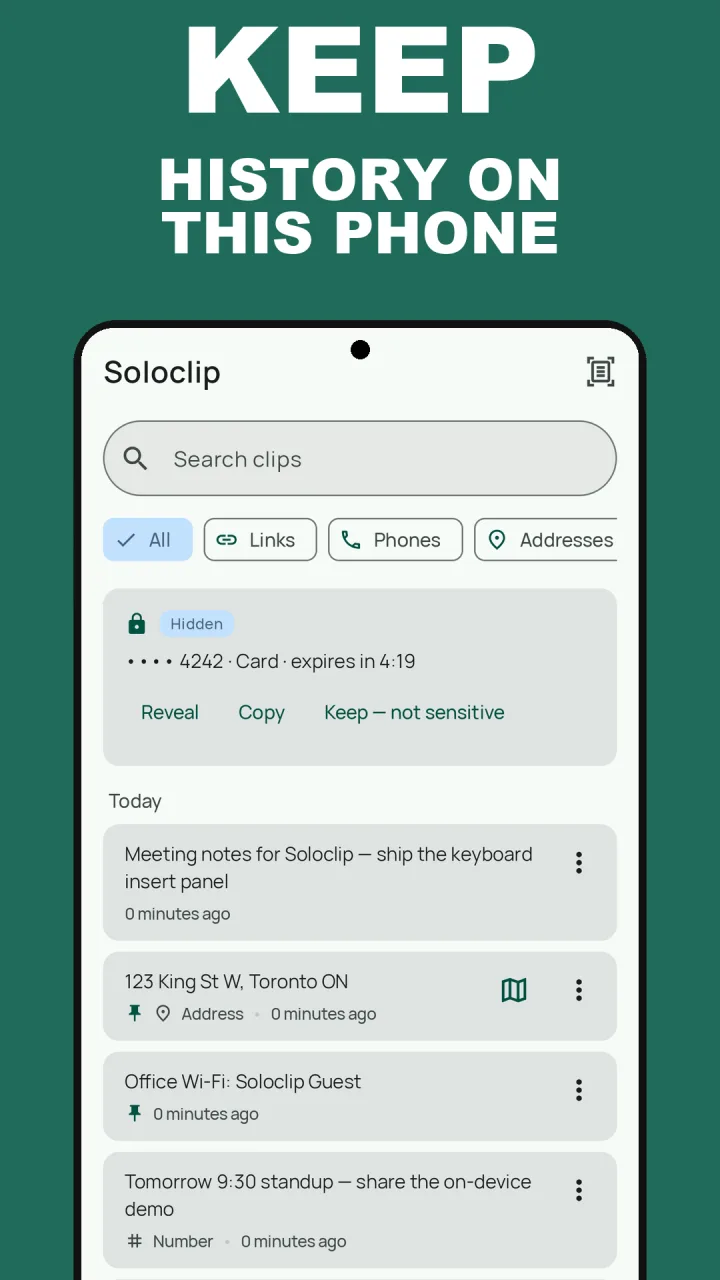
Keep clipboard history on this phoneFree to download with unlimited history. Unlock once. No ads. No subscription.
Private clipboard manager FAQ
Does Soloclip upload my clipboard?
No. Contents are processed on-device. A clip leaves the phone only if you copy it into another app or share an export yourself.
Is there an account?
No.
What about one-time codes?
The sensitive guard masks one-time codes, passwords, card numbers, IBANs and API keys. They are never saved to storage and are gone in five minutes.