What a clipboard manager on Android has to get right
A clipboard manager for Android is the app that remembers what you copied after the next copy overwrites it. On a phone that means addresses, Wi-Fi passwords, meeting notes, tracking numbers, and the paragraph you were about to paste into email.
Android 10 stopped background apps from quietly reading the clipboard. That is why so many managers now demand Accessibility, or quietly fail. The five checks below decide whether you will still be using the app in a month.
1. Where do the clips live?
Clipboard text is often more sensitive than a photo: one-time codes, account numbers, home addresses. Prefer an app that stores history on the device and does not upload it. Soloclip has no account and no Deximo cloud. The Play honesty line is the same as the product: contents are processed on-device, not uploaded.
2. How does it capture, really?
If the listing promises “saves everything you copy automatically” on current Android, read the permissions. Always-on sniffing usually means Accessibility or a root/ADB hack. A clipboard manager Android users can trust will say the supported paths out loud. Soloclip captures when its keyboard panel is open, when the app is in focus, when you share or select-and-save text, or when you tap the Save clip tile.
3. Can you find a clip later?
A rolling list of five items is a keyboard drawer, not a manager. You need search, pins that survive cleanup, and a way to insert without hunting through Settings.
4. Ads next to clipboard text
The highest-download Play option in this category has historically been ad-supported. Your clipboard is the wrong place for an ad SDK. Look for no ads in the Data safety form and in the UI.
5. What it costs over a year
Apple’s Paste proved people will pay for clipboard history — on a subscription. On Android, a one-time unlock is the fair model for an on-device tool. Soloclip Pro is a one-time unlock. There is no monthly plan.
How Soloclip answers each check
| What to check | Soloclip |
|---|---|
| Where clips live | On this phone. No account. Not uploaded. |
| Capture | Keyboard panel, app focus, share or select-and-save, Save clip tile. No background reading. No Accessibility. |
| Passwords and codes | Masked, never saved to storage, gone in five minutes. |
| Find and reuse | Search in History. Pins and snippet folders (Pro). Insert from the Soloclip keyboard. |
| Ads | None. |
| Price | Unlimited history is free. Unlock once. |
How to start a clipboard manager in Soloclip
You can have searchable history in a few minutes. Nothing is created in the cloud.
- Install SoloclipDownload it free from Google Play. There is no account and no sign-up.
- Read the capture screensOnboarding explains Android 10+ limits: Soloclip records text when its keyboard panel is open, when the app is in focus, when you share or select-and-save text, or when you tap the Save clip tile.
- Enable the Soloclip keyboardOpen system keyboard settings, turn Soloclip on, then switch to it from the globe or keyboard icon when you want to save or insert clips.
- Copy somethingCopy an address or a note. Open History to search it. Pin anything you reuse.
- Unlock once if you need moreHistory and search are free and unlimited. Keyboard insert, pins, the Quick Settings pinned strip, merge, and text from screenshots are a one-time unlock.
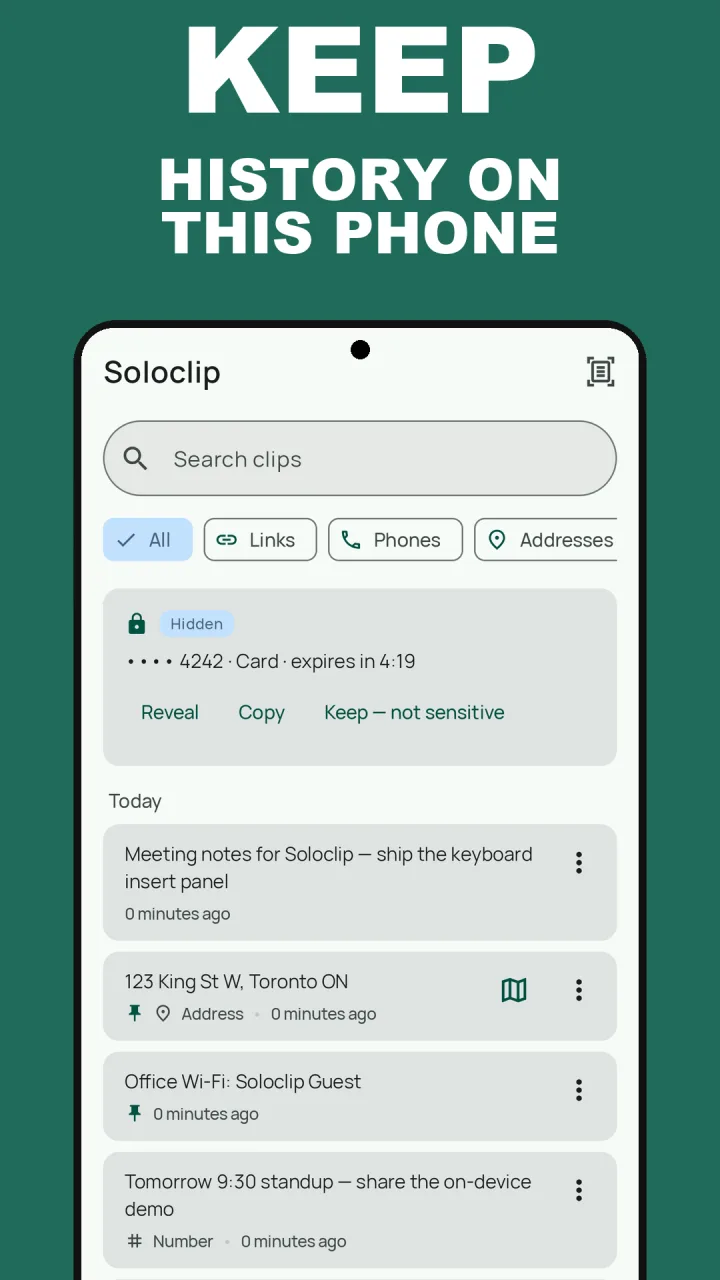
Keep clipboard history on this phoneFree to download with unlimited history. Unlock once. No ads. No subscription.
Clipboard manager Android FAQ
Does a clipboard manager need Accessibility?
No. Many apps use Accessibility to guess when you copied. Soloclip does not. Capture is the keyboard panel, app focus, share or select-and-save, and the Save clip tile.
Will it work if I keep Gboard as my typing keyboard?
Yes. Switch to the Soloclip keyboard when you want history or insert, then switch back. You can also select text and tap Save to Soloclip, or use the Save clip tile.
Is clipboard history built into Android?
Gboard and Samsung Keyboard keep a short list. They are not a searchable manager, and unpinned clips expire in about an hour (Gboard) or a day (Samsung).