Switch from Clipper in a minute
Soloclip can read the backup file Clipper makes. Make a backup in Clipper, then open it in Soloclip.
- Make a backup in ClipperIn Clipper, tap ⋮ → Backup → Save new backup. Clipper saves a file named Clipper Backup.json, in Downloads unless you pick another place.
- Open Import from Clipper in SoloclipInstall Soloclip from Google Play if you have not yet. Then open Settings → Import from Clipper. There is no account to create.
- Pick the backup fileChoose Clipper Backup.json in the file picker. Soloclip reads it on the phone, then shows how many clips and lists it imported, and how many it skipped because they were already there.
- Review anything flaggedIf some clips look like codes, card numbers or passwords, the result says so. Tap Review. Those clips are hidden in History, and you keep or delete each one.
Watch it in 27 seconds
The same steps as a short video. It loads from YouTube only when you press play.
What comes across
- Your history, with the original dates.
- Pins. Pinned clips stay pinned.
- Lists. Each Clipper list becomes a snippet folder with the same name.
- No duplicates. Clips already in Soloclip are skipped. Importing the same file twice adds nothing.
- Codes and card numbers are hidden. They are masked and flagged for review, along with strong-looking passwords. Nothing is deleted without you.
The import reads the file on this phone. Soloclip has no internet permission, so the file and your clips are not uploaded anywhere. Old clips are not cleared straight away: they get 30 days before your cleanup setting applies to them.
What people want from a Clipper alternative
They want a clipboard manager that keeps recent copies, lets them tap to paste again, and does not fight them with ads. Clipper free has been the high-download answer on Play for years. Clipper+ was a cheap one-time upgrade. The complaints that send people looking are ads, crashes, and trust.
What the free version of Clipper does today:
- It keeps only the newest 20 clips.
- On Android 10 and later, it saves only what is on the clipboard when you open the app.
- It shows ads.
Soloclip is not a skin of Clipper. It is a smaller product: text history on this phone, search, pins, insert from a keyboard, Quick Settings. No cloud. No Accessibility default. No ads.
Honest differences
- Capture. Soloclip will not pretend to sniff every copy in the background. You open the Soloclip keyboard panel, focus the app, share or select-and-save, or tap the Save clip tile.
- History. Free history is unlimited, kept 30 days by default. It is not capped at 20 clips.
- Images. Soloclip keeps text. It can grab the text out of a screenshot (Pro), but it does not store pictures.
- Price. A one-time unlock for Pro, not an ad-supported free forever with a cheap plus SKU.
If you need always-on background capture, that usually means Accessibility or a privileged hack. Soloclip will not go there. That is the point of the wedge.
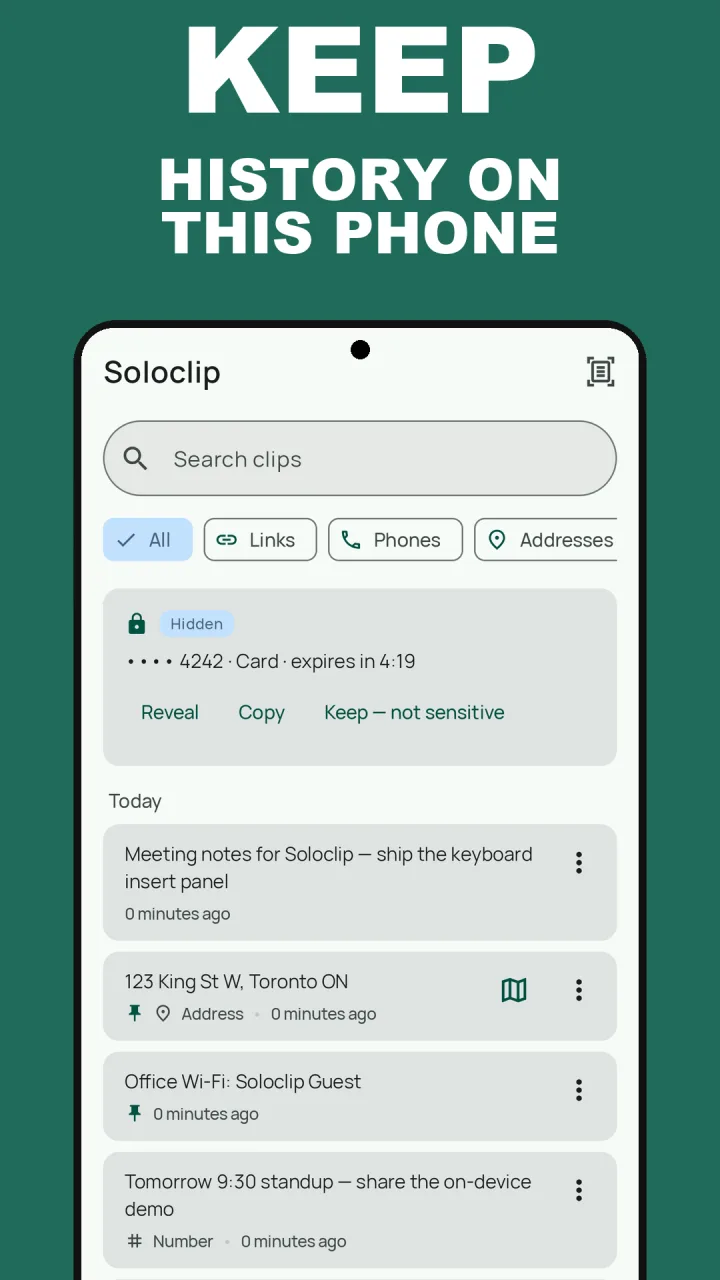
Keep clipboard history on this phoneFree to download with unlimited history. Unlock once. No ads. No subscription.
Clipper alternative FAQ
Will my pins come across?
Yes. Pinned clips stay pinned, and each Clipper list becomes a snippet folder with the same name. This works on the free tier too: the clips show in History and are not cleared. Pins and folders are organised in the Pins tab once you unlock.
What about passwords?
Clipper keeps whatever you copied, secrets included. During the import Soloclip checks each clip for one-time codes, card numbers, IBANs, API keys and strong-looking passwords. Those come in hidden and flagged for review. A simple password, such as a single plain word, looks like normal text and is not caught, so look through your history after the import.
Do I need Clipper Plus?
No. The backup from the free version of Clipper works. The import is free in Soloclip too.
Is Soloclip affiliated with Clipper?
No. Clipper is a separate Play app. Soloclip is a Deximo Apps product.