Everkeep
A private baby memory book for Android and iPhone. No account, no subscription.
See EverkeepFiletray is a PDF scanner that reads your papers on your phone, so you can find any document later by a word on the page. Scan a lease, a receipt or a warranty, drop it in a folder, and months later search for “deposit” to pull it up. Nothing is uploaded and there is no account to create.
Free to download. Filetray Lifetime is a one-time purchase, and Google Play shows your local price.
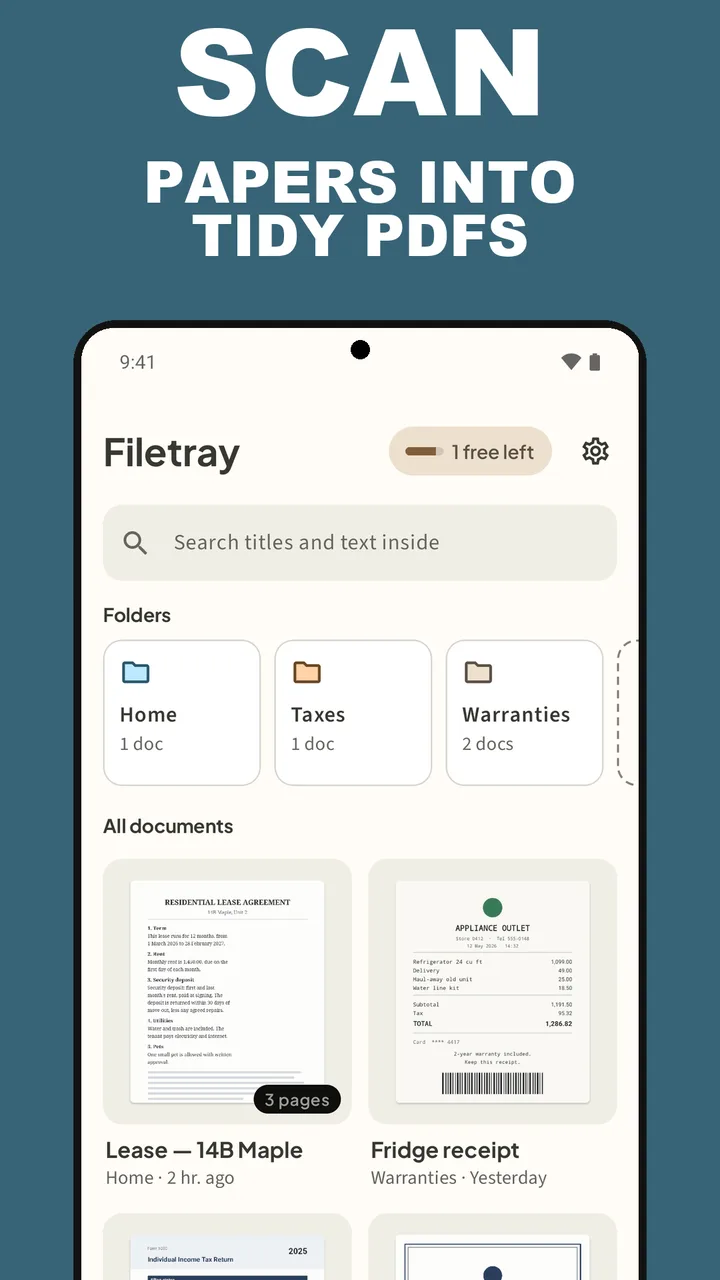
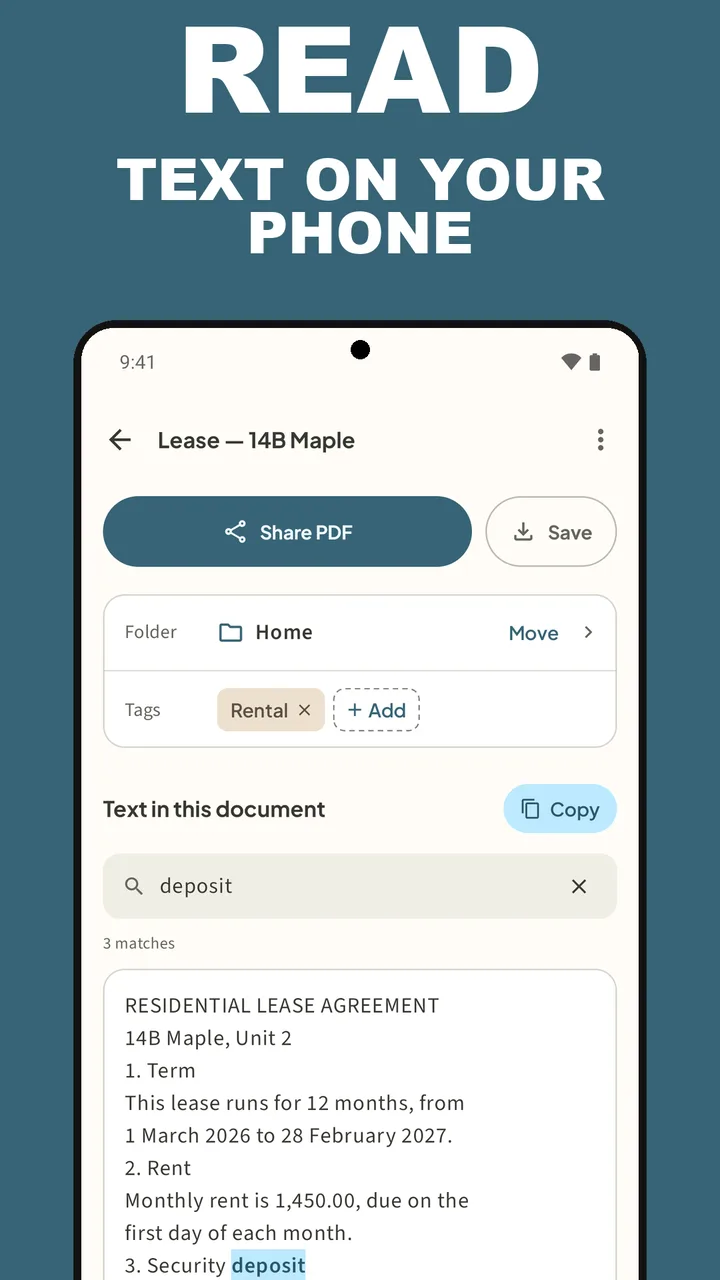
On Google Play for Android 8.0 and later. Keep up to 5 documents free, with folders, tags, sharing and saving PDFs. No sign-up, no email.
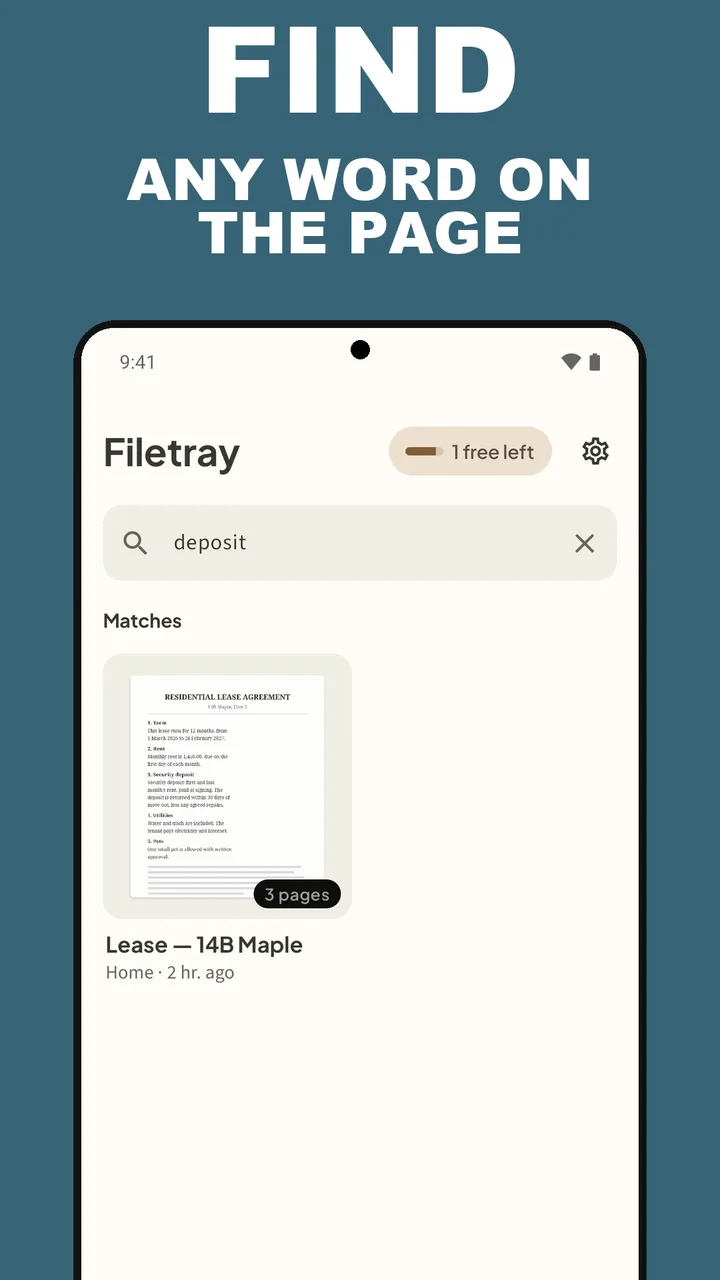
Filetray Lifetime · pay once · no subscriptionThe library, a search for one word, a folder, the text read from a lease, and the one-time unlock. These are the screenshots from the Google Play listing.
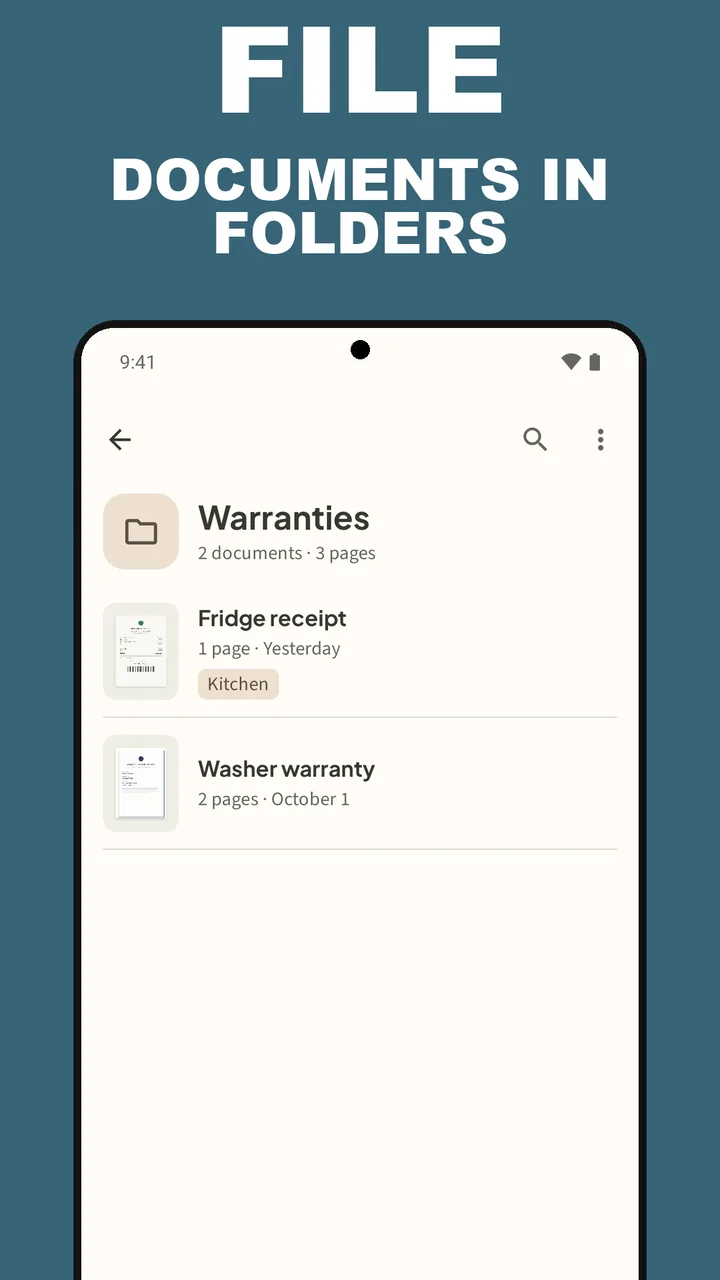
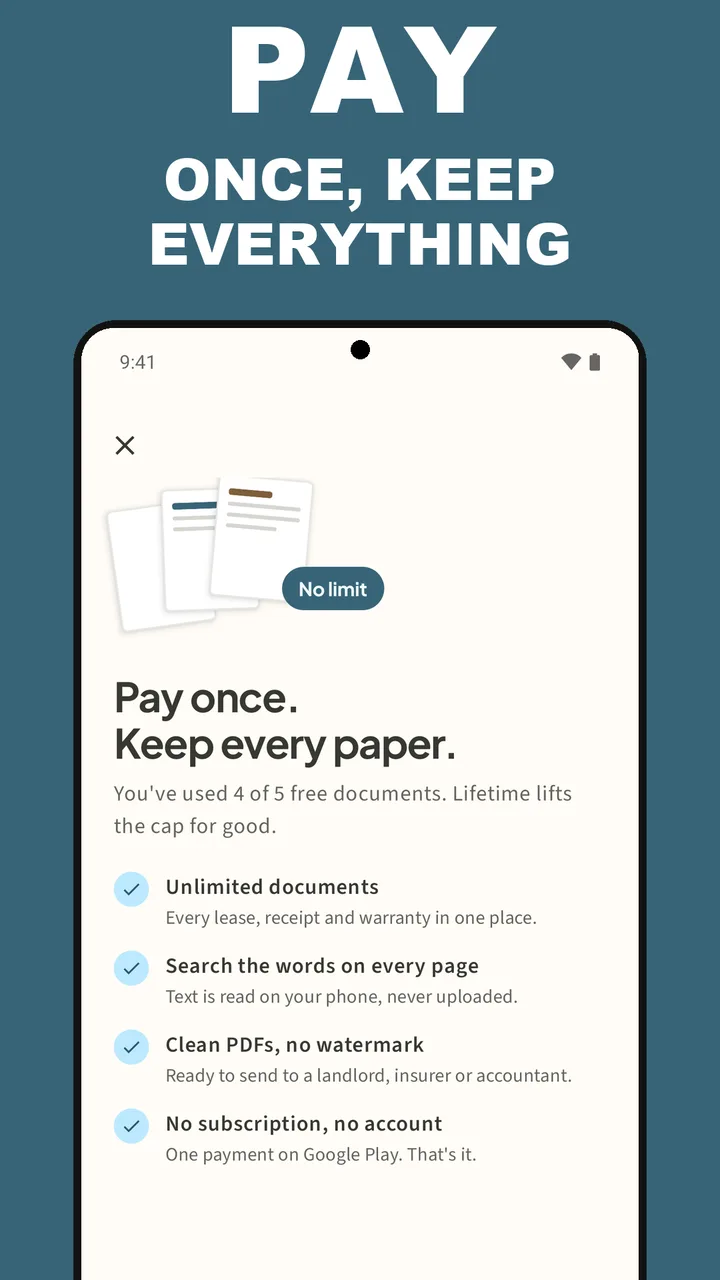
Scan a stack, type one word, find the paper. The video loads from YouTube only when you press play.
No account to create and nothing to upload. Point the camera, name the document, and search for it when you need it.
Tap Scan a document. The scanner finds the page edges and crops each page. Add as many pages as the paper has, or pick photos you already took.
The scan opens as a new document. Give it a title, move it into a folder, add a tag or two. Scan from inside a folder and it lands there.
Filetray reads the words on every page on your phone. Lifetime does it for every document by itself; the free library includes it on one document.
Search titles, tags, folder names and the text inside. Open the match, then Share PDF or Save it to Files.
Most scanners stop at the PDF. Filetray keeps the papers you scan in a library you can actually search.
Text recognition (OCR) runs on the device. Pages are never uploaded to read them, and there is no Deximo cloud to sign in to.
One search box looks through titles, tags, folder names and the text inside your scans. Find in this document highlights every match.
Scan a stack into one multi-page PDF. Add pages from your photos, reorder them, or remove one any time.
Make folders like Home, Taxes or Warranties, scan straight into one, and add tags such as Rental or Kitchen.
Shared and saved PDFs keep the recognized text as a hidden layer, so other PDF apps can search it too.
Copy the recognized text of a document and paste it into a message, a note or a form.
Nothing to sign up for and nothing to sign in to. Your papers stay on your device.
Filetray Lifetime is a one-time purchase on Google Play. No subscription. Restore it on another phone with the same Google Play account.
The app is available in English, Spanish, French, Italian and Portuguese.
The free library is a real scanner, not a demo. When you need more than 5 documents, or the words read on every one, unlock Filetray Lifetime once. Google Play shows your local price.
Enough to scan and file the papers that matter this week.
A one-time purchase on Google Play that lifts every limit.
How to scan to PDF, make a scan searchable, file it, and find it again on Android.
Turn a paper into a clean PDF with the phone camera: edges found, pages cropped, ready to share.
Read the guide →Multi-page PDFA whole stack in one file. Add a page you missed, move one Earlier or Later, or remove it.
Read the guide →OCRRead the words on a scanned page on your phone, copy them, and share a searchable PDF.
Read the guide →SearchType one word from the page and the document comes up. Titles, tags, folders and the text inside.
Read the guide →OrganizeFolders for Home, Taxes or Warranties, tags for the rest, and scans that land in the right place.
Read the guide →ReceiptsA Warranties folder, a tag per room, and a search for the store name when something breaks.
Read the guide →Straight answers about scanning, text recognition, privacy and what the free library includes.
Install Filetray and tap Scan a document. The scanner finds the page edges and crops each page; add more pages if the paper has them, then finish the scan. Filetray opens the new document, and Share PDF or Save gives you the file.
Yes. Keep adding pages in the same scan and they become one multi-page PDF. Later, open the document and tap Pages to Scan more pages, Add pages from photos, move a page Earlier or Later, or Remove it.
Yes. Text recognition runs on the phone and pages are never uploaded to read them. The recognition model comes with Google Play services, which may download it the first time it is used.
Type the word in the search box at the top of the library, Search titles and text inside. Filetray looks through titles, tags, folder names and the recognized text, and lists the Matches. Inside a document, Find in this document highlights every match.
Yes. Tap New in the Folders row to make one, open a folder and tap Scan into to file new scans there, or open a document and tap Move next to Folder. Tags go on the Tags row with Add.
Yes. Once the text is read, open the document and tap Copy next to Text in this document. You can paste it anywhere. Read the text over before you rely on a number or a name.
No. Pages are read on the phone, there is no account, and Deximo runs no server that stores your scans. A PDF leaves the phone when you tap Share PDF or Save and pick where it goes.
Up to 5 documents, text recognition on one document, folders, tags, search, and sharing and saving PDFs. PDFs you share or save on the free version carry a small “Made with Filetray” footer. Filetray Lifetime removes all three limits.
No. Filetray Lifetime is a one-time purchase on Google Play, and Google Play shows the price for your country. Restore purchase in Settings brings it back on another phone with the same Google Play account.
Only a small “Made with Filetray” footer on PDFs from the free version. Lifetime PDFs are clean, with no watermark.
Text recognition reads Latin-script languages, such as English, Spanish, French, Italian, Portuguese and German. It is built for printed text; handwriting often does not come through. The app itself is in English, Spanish, French, Italian and Portuguese.
Documents live inside Filetray on this phone. Save or share the PDFs you want to keep elsewhere before you uninstall or switch phones. Your Lifetime purchase comes back with Restore purchase on the new phone.
Android 8.0 and later. Filetray is on Google Play for Android phones.
Download Filetray free on Android. Keep up to 5 documents free. Unlock Lifetime once when your library grows.
A private baby memory book for Android and iPhone. No account, no subscription.
See EverkeepThirteen offline PDF tools for Android: merge, split, compress, OCR and more.
See ViaPDFClipboard manager for Android that stays on this phone. No ads. No account.
See SoloclipFinds similar photos, bursts and old screenshots on Android. Photos stay on the phone.
See SparePix