Three ways to print a baby book, compared
| Approach | Effort | Cost | Catch |
|---|---|---|---|
| Photo-book website | High: drag photos into templates, write captions from memory | Per book | Hours of layout; you rarely remember the stories |
| Subscription baby-book app | Low: the app builds the book | A recurring plan; check what printing costs on top | Check where the memories are stored and whether you can print elsewhere |
| Book + PDF (Everkeep) | Low: keep pages as you go | $9.99 once, then print anywhere | One clean layout rather than custom templates |
What Everkeep's print-ready PDF contains
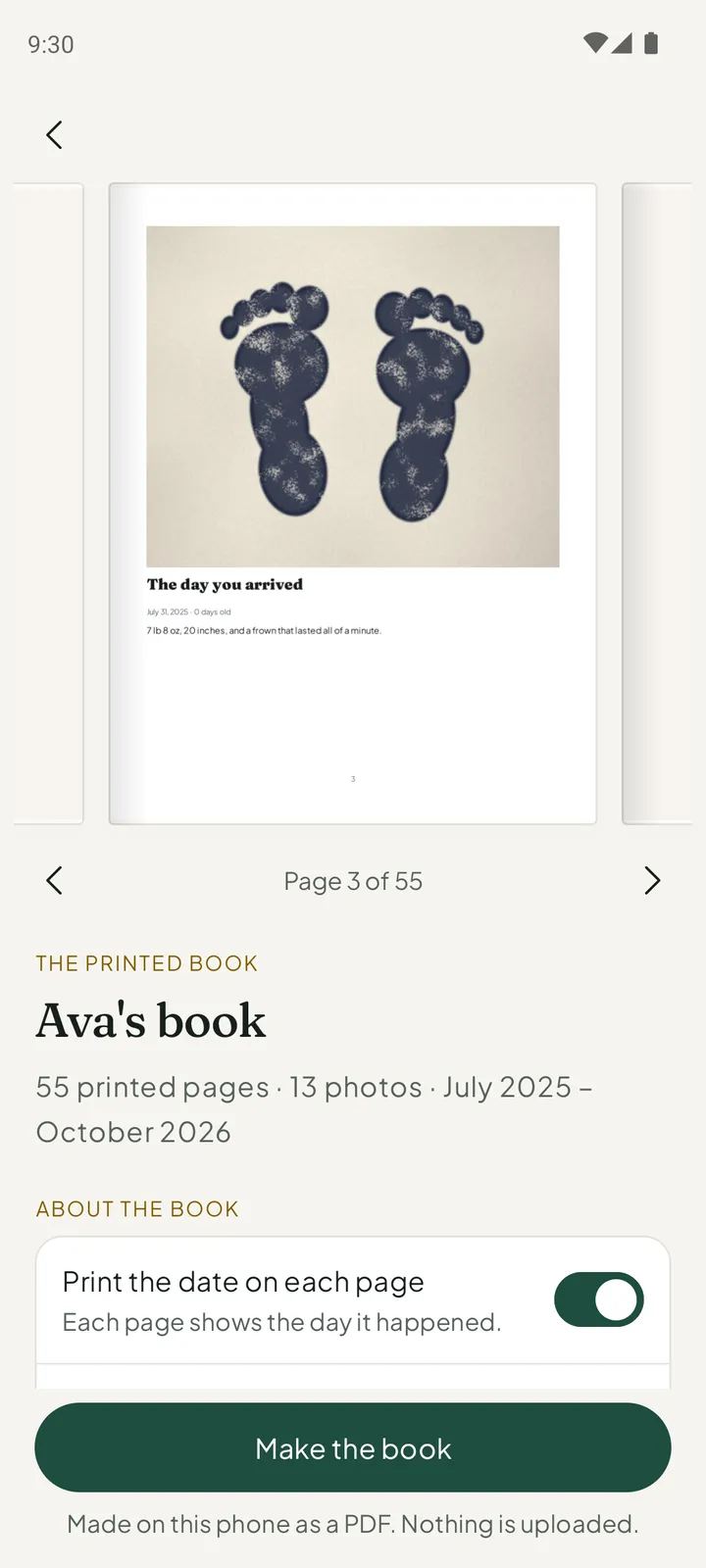
The printed book is made from the pages of one child’s book, in order: the photos, their titles and the words you wrote. One switch chooses whether the date is printed on each page. The book is made on your phone as a PDF, and nothing is uploaded.
Because it is a normal PDF, you decide how to print it: your home printer, a high-street print shop, or any online service that prints PDFs as bound books. There is no lock-in and no per-page upsell.
Tip: Make a book at the end of each year. Twelve chapters makes a satisfying volume, and the story is fresh enough that you can fill any gaps first.
How to print a baby book from your phone with Everkeep
If your photos are already in Everkeep, this takes about five minutes. If they are in your camera roll, add a little import time.
- Get your photos into chaptersKeep new moments in Everkeep, and import older photos from your library. Each one is filed under your child’s age on the day it was taken. Importing is free.
- Write the wordsOpen a page and add a title and a line or two. These become the text of the book.
- Preview the printed bookFrom Today, open “Preview the printed book” and turn through it. Fill any obvious gaps from the Book.
- Buy Everkeep ProIn Settings, open Everkeep Pro. It is one purchase of $9.99, not a subscription.
- Make the bookChoose whether to print the date on each page, then tap “Make the book”.
- Print anywhereSave or share the PDF, send it to a computer or upload it to a print service. Choose your own paper, size and binding.
From phone to bookshelf, for $9.99 onceDownload Everkeep free, keep pages as you go, and get your print-ready baby book whenever you like.
Printing a baby book FAQ
What size is the PDF? Can I choose paper size?
Everkeep makes a portrait PDF in one page size. Most print services and home printers can scale it to common book sizes; look for “fit to page” in your printer’s options or ask the print shop to size it for you.
Can I customise the cover, fonts or layout?
Not the layout. Everkeep uses one clean, consistent design so books from different years match on the shelf. You can choose whether each page shows its date. Your photos and your writing provide the personality.
Can I re-export after adding more memories?
Yes, as often as you like. Each book reflects the pages as they are that day, so you can print an updated edition any time.